

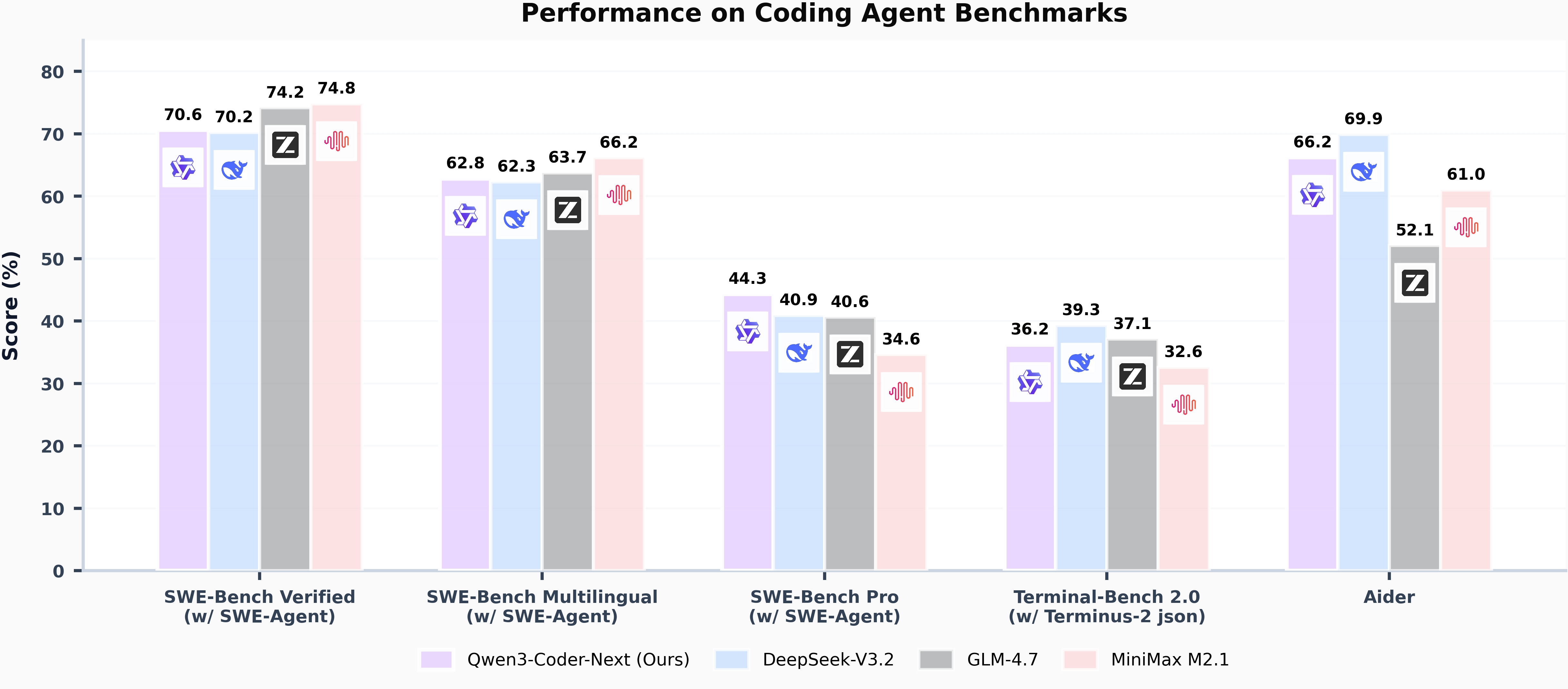
So I missed this launch a few weeks back and hadn’t tried it out until last week. For anyone interested, this model is 80b params, but only 3b active. On Macs and also ddr5 systems with even as little as 8-12gb VRAM it performs well enough to be usable.
This model works without tool call issues in Claude Code, Codex, and Opencode. I’ve personally validated Claude Code and Opencode usage.
A few different things to note, the GGUF on macs performs much worse than the MLX version. If you have a Mac, install qwen3-coder-next using LM Studio. If you are on another platform, use ollama.
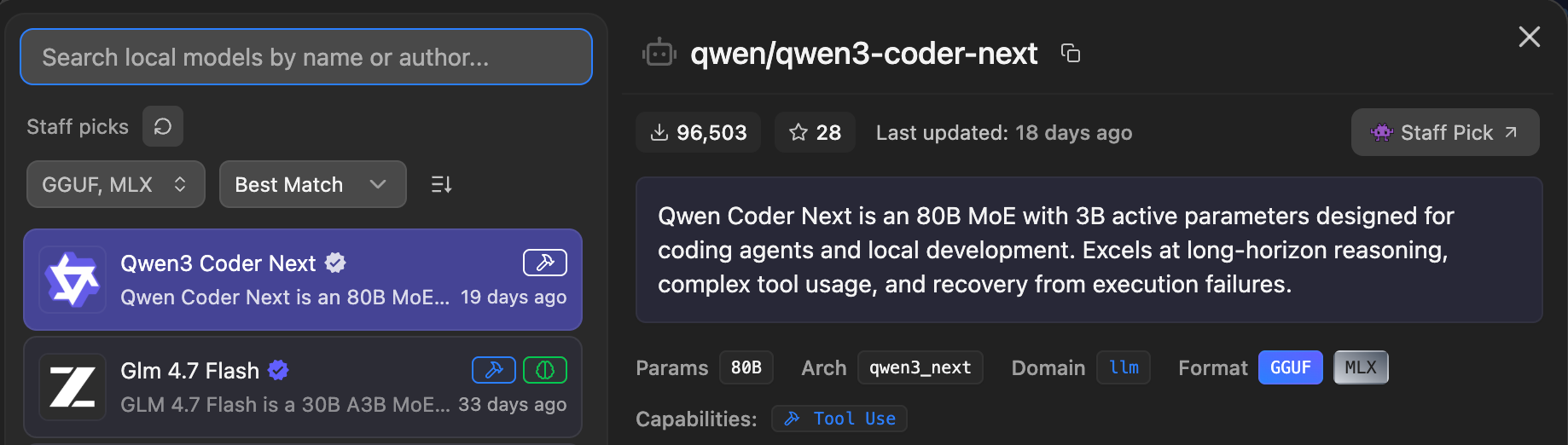
I’ve never seen a disparity this large between GGUF vs MLX before.
On low power mode on my m4 max laptop, I get around 20t/s on the GGUF under ollama. Also that version is larger, around 52gb. When I run the 4bit mlx on LM Studio, it’s only about 45gb, and I get 30+t/s with a minimal starter prompt.
Now, on full power mode I can hit almost 70t/s with the MLX:
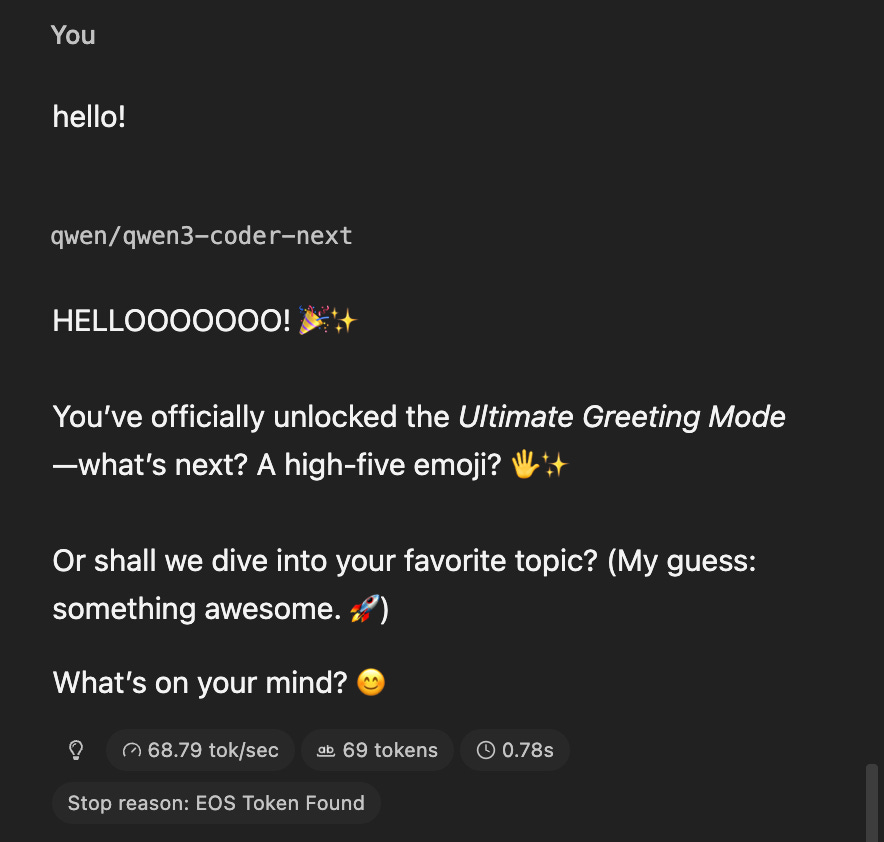
The GGUF was only giving me around 40…
So anyways, for anyone who didn’t care about those comparisons, on a Mac, the MLX is much faster and VERY usable if you have at least 64gb of unified memory.
I shared the low power numbers because it’s just not practical to use this on high power UNLESS you are plugged in.
If you are on the go, this is the first time a model is fast enough to use, in an agentic tool like Claude Code, with low power mode on a Mac.
If you go full power you’re going to burn 5% battery every minute or two for 30% gain in speed.
Examples
Ok, so I installed and then uninstalled openclaw on my machine lately. After, every terminal opening referenced a file that no longer existed. This should be super easy to fix, but let’s give it to qwen3-coder-next and see how fast it can figure out a solution:
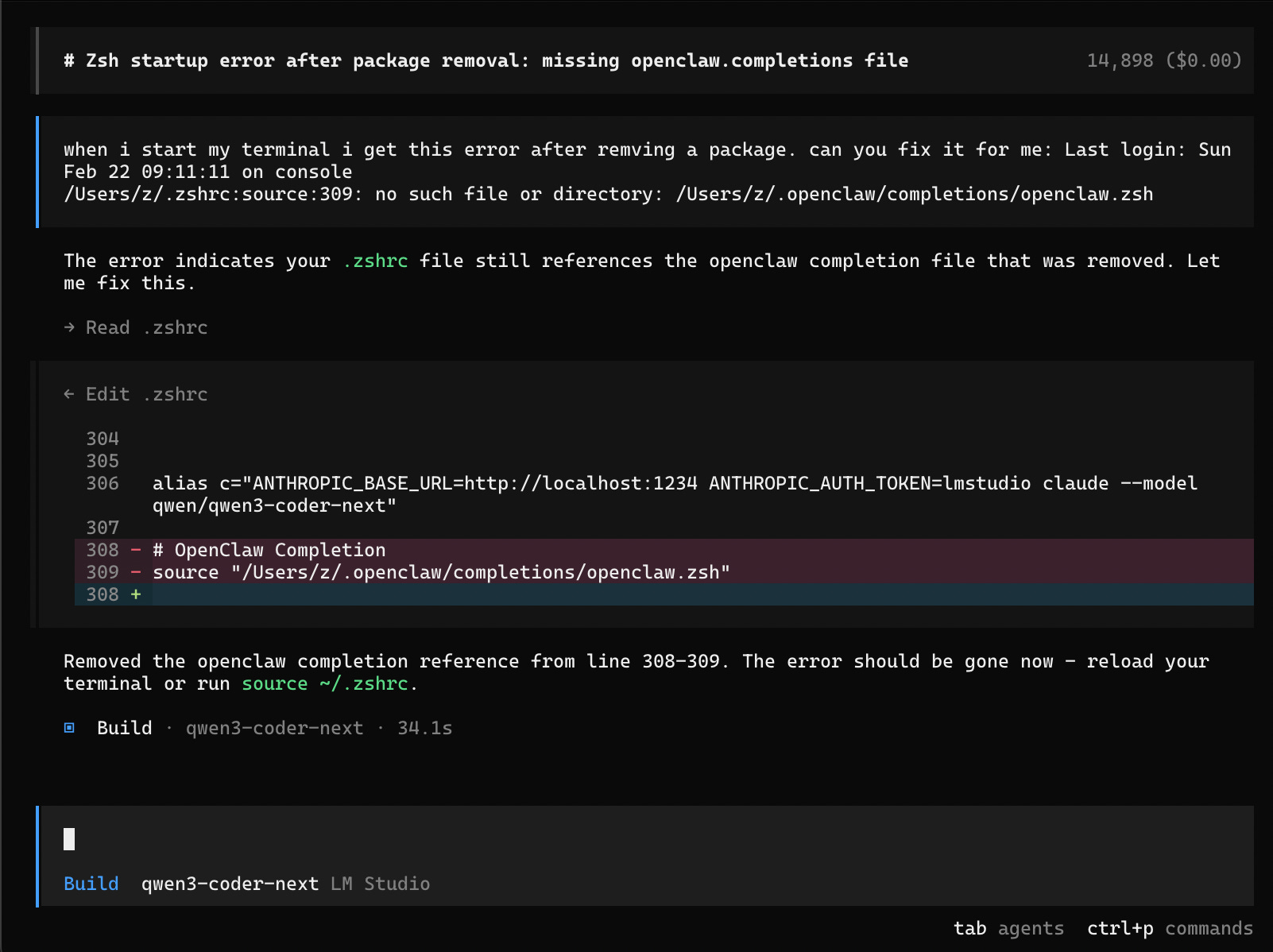
I told it about an an error I get on terminal start after removing a package, and then just pasted the full error line I get.
34s later it correctly fixed it and this is on low power mode. This is huge because these tools inject a starter prompt that can take a while to process locally.
Yes this was a super basic example, and here’s another basic one, but this time from claude code:
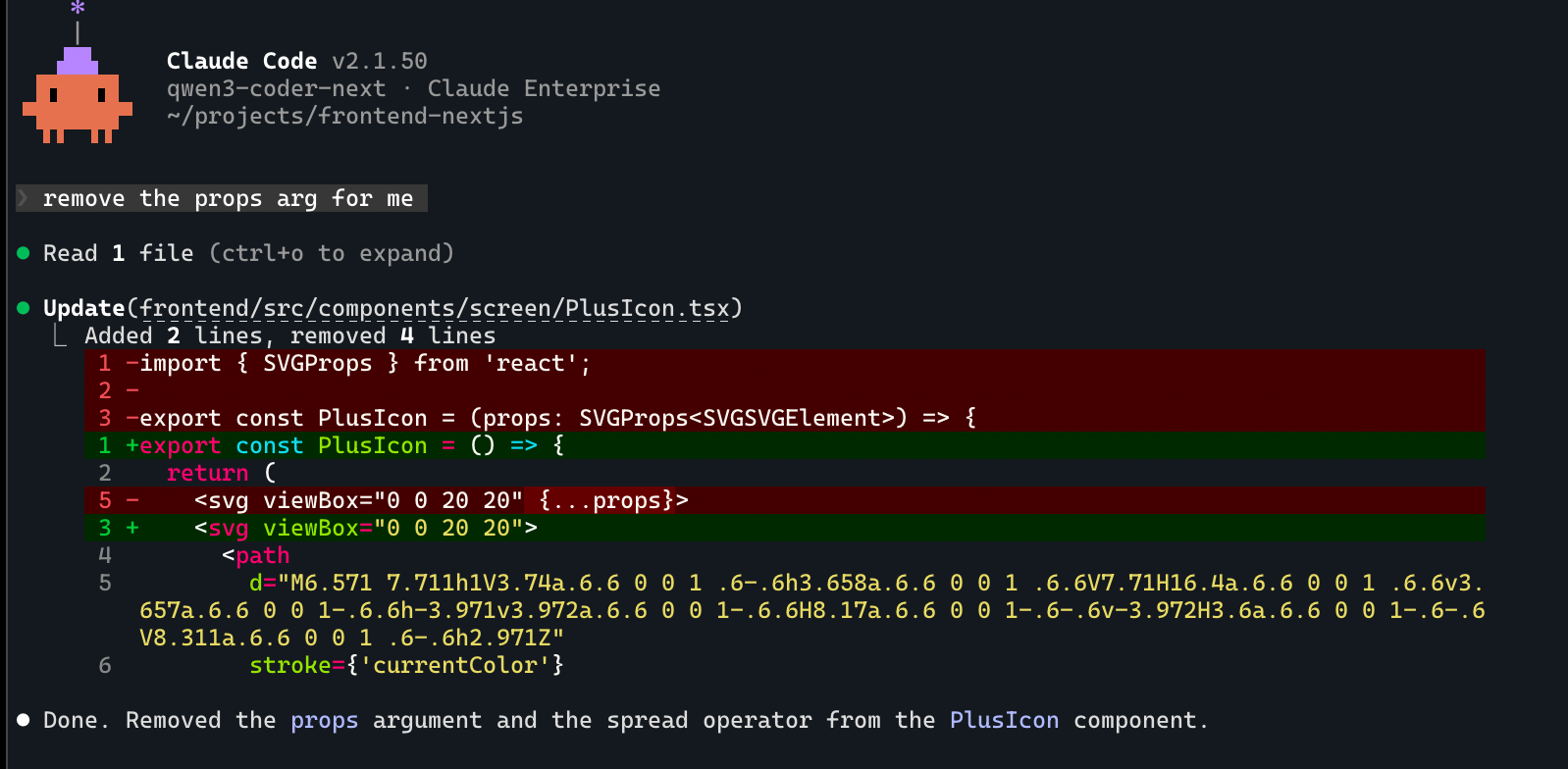
I just had a file open in my editor and then said remove the props arg. Even though this is basic, in the past these tools would break when running in these agentic tools, constantly. Tool call malformed errors were notorious.
Unfortunately I don’t have many more examples to share, the rest are in a codebase I can’t share. I will say if I am quite specific about the function names and provide single step requests, it works great locally and within a minute or two for a full result.
It’s also a great way to explore a codebase and find things that you may not be familiar with. Asking where things are or what endpoints are hit by a particular UI element works well.
This is NOT claude opus 4.6. This is much smaller but still highly capable. I would use opencode as much as you can, and use plan mode for codebase exploring and explanations of how things are setup, as the prompt is a bit smaller than “build” mode.
If you really want to use in Claude Code you CAN, however I find the initial prompt speed isn’t worth it vs using opencode. Make sure you disable as many MCPs as possible if you’re wanting the fastest possible speed.
Ollama cloud
If you want to run this model faster or you don’t have the hardware requirements to run it well, I recommend checking out ollama cloud. The coolest part of it is this:
ollama launch claude --model qwen3-coder-next:cloudIf I add :cloud on the end of a model, it’s now running on their cloud platform at a faster speed. If I need privacy or bad connection, I can run that same thing again with :cloud removed and have the same model fully local.
Finally, if you have an Nvidia GPU with DDR5 ram that’s running at 6000mhz, you should be able to get 20+ tokens/s there as well. This is what makes this model such a big deal, this level of intelligence hasn’t been seen in something that can truly run at a usable speed on consumer hardware.
If you try it out, let me know what you think!