

Thanks to a couple small decisions… I was able to give codex the ability to do most of the work reverse engineering a heat pump I purchased for a pool last year.
I have an open pull request for a community library that helps you disable cloud access to this Tuya device and control it locally.
So what is Tuya? It’s a china-based “IoT” platform that lets you control devices.
I was able to self install a 100k BTU heat pump for $2500 and it came with Tuya access. If you know anything about pools, you’ll know the standard cost for a heater like this is closer to $6000, so when I saw this deal on Amazon I had to try it.
The only downside is that my pool system is all Pentair, and I didn’t want to run extra cabling and try to interface it with the main panel.
I ended up reverse engineering the entire pool control panel in addition to this heater, which I will share in another post.
The point is, I can control the heater and pool pump and valves together even though they are different brands. I need to turn on a spa circuit before turning on heat, and I don’t want to go to different apps or to my main panel to do it.
My pool panel doesn’t even have wifi, so all of this was a multi step process! Anyways…
How I did it
It’s surprising how easy so many things are with AI. I didn’t know much about how Tuya worked before trying this. Turns out, they have multiple protocol versions and also some devices (like mine) don’t even update sensor data unless you manually write some data to the device. That fact took me a few days and frustrations to realize. I actually thought the parent library I was using (to add this device to home assistant) had a bug at first.
First, I told codex “Install tinytuya using uv” and then I told it, “I have a heat pump at X ip address. It uses tuya, I need you to connect to it and tell me what you find”
It quickly got all the data out, but tuya is very basic. It will have a mapping like “5 => 54” and you don’t know what “5” is.
In my case, I know on the display what the current air temp, inlet and outlet temp, and other data says. So I just tell codex what each field represents.
It also helps that i found another yaml in the library I was using. This yaml almost worked for my device but had many bugs. So I told codex to look at it to understand the format we need to use.
After that it spit out a yaml pretty quickly and then I updated my home assistant to use this yaml for the device.
Funny enough, this device reports ONLY amps used, and incorrectly… It will say “145” on the display for amp draw, clearly meaning 14.5. Using codex I asked it how can I make a watts sensor where we multiply the amp number by 236 after dividing it by 10. I chose 236, as the panel doesn’t seem to pull a full 240v, it’s usually a bit less.
Now I have full energy panel support in Home Assistant even with this trash firmware that can’t even display amps correctly 😂.
Not updating
The last problem… I noticed the temperature of the inlet and outlet didn’t update! You can see the full fix in my github comment.
Turns out this device returns cached values EVEN IF the screen itself has a bunch of new changes. UNLESS you send it a write for the temperature set point… so I have a script to auto set the temp to the same temp… every minute, so I can get updated data from it. Finally, I blocked its internet access so it can’t talk to cloud servers anymore.
Here’s what it all looks like in home assistant:
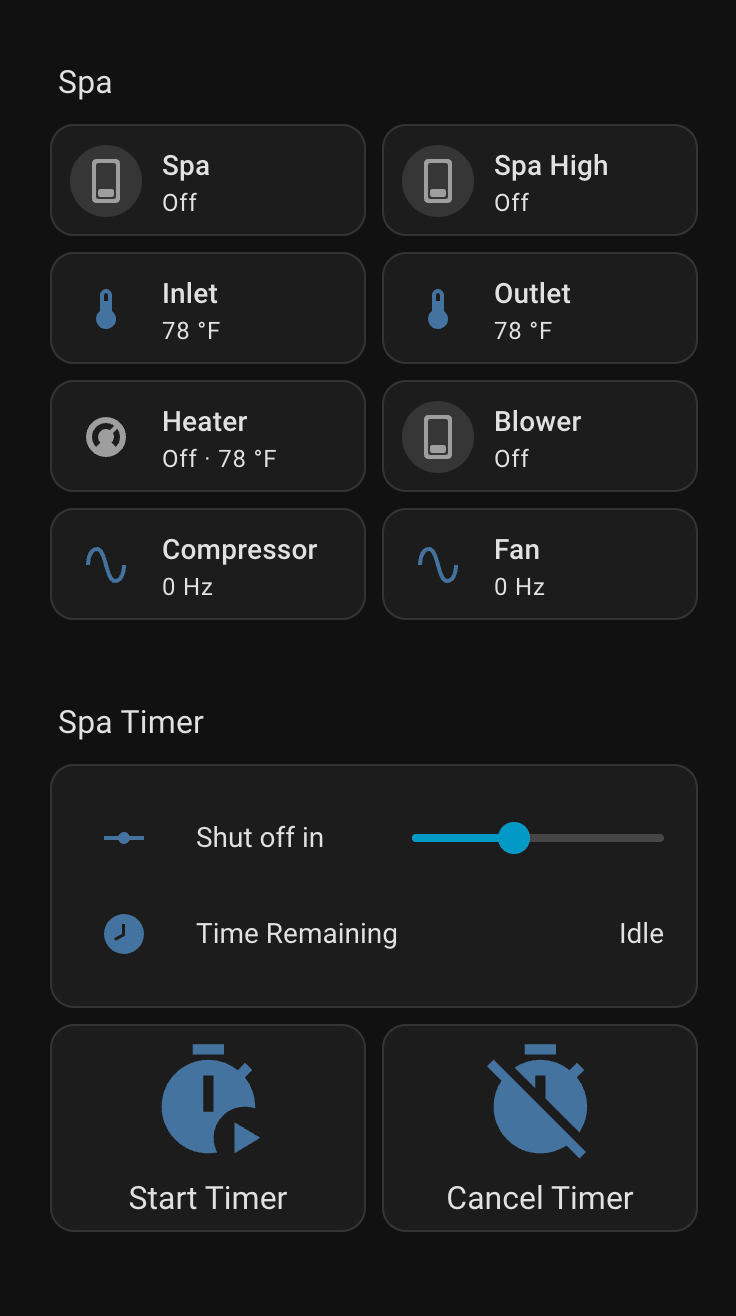
This is huge since before, I couldn’t even turn my spa pump on (for another blog post) because it isn’t on wifi. Now, when I am not home, I can start the spa, the heater auto turns on, and I can see how close to temperature it is even when I’m not home.
I can also start a timer, which is smart. When it ends, heater turns off, waits 3 minutes, then pump turns off, to keep the heater from overheating if the pump turned off at the same time.
Thanks to a cli tool, debugging, and pressing buttons, it was super fast to iterate on a fully working yaml file for the tuya local project.